


Portrait
Cut out people without a green screen.
Remove video backgrounds with AI for easy editing and compositing.
Up to 10 GB and 3840 × 2160, including portrait orientation. SDR only; no fixed duration cap.
MP4 / FLV / TS / AVI / MOV / WMV / MKV
Account-protected files, processed in the cloud. Originals: 24 hours · Results: 7 days
Two cutout modes for presenters, product footage and your next edit.
Cut out people without a green screen.
Remove plain-color backdrops from people or objects.
Leave the page and follow progress in My files.
Transparent WebM/MOV or MP4 with a solid background.
Check the credit estimate before processing.
Source videos and results are protected by your account.
Upload your clip, choose the output and download the cutout.
Upload the original video from your device or an available cloud source.
Select portrait or green-screen mode, then choose transparent WebM/MOV or MP4.
Download the result and review it before using it in your edit.
Original AI illustrations of presenter, product and studio recording setups.
Turn a talking-head recording into a separate video layer, then add a new scene in your editor.

Film your product against an evenly lit green backdrop, then export an alpha video for your next edit.

Keep the presenter as a separate layer and add the new scene in your video editor.
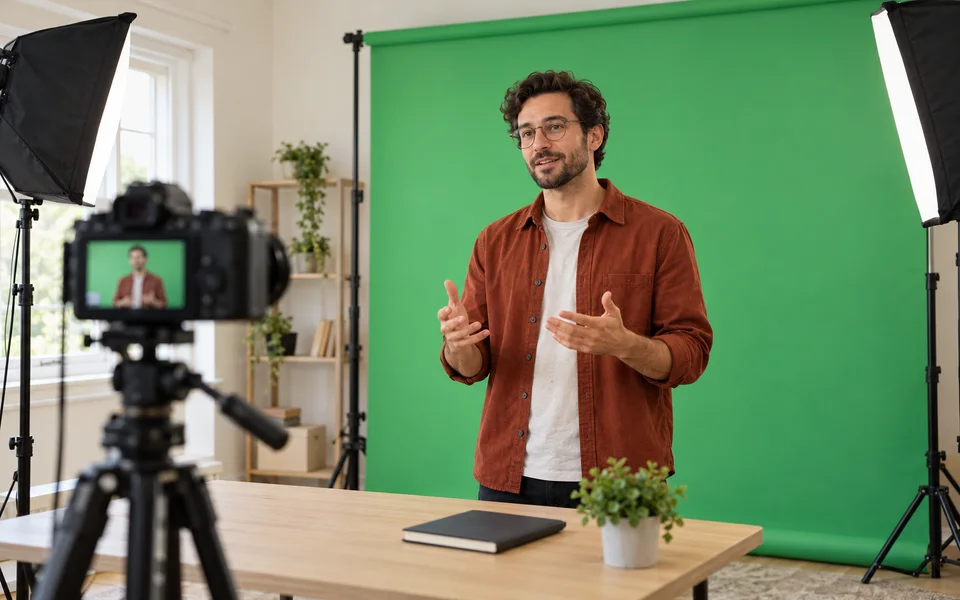
Compare the AI-generated portrait clip with its actual processed MP4 on a white background.
Portrait · MP4 · White
Minimum 3 credits. A 60-second clip costs 36 / 54 / 108 / 144 credits at short edges up to 720 / 1080 / 1440 / 2160. Both modes and all formats use the same rate; review the exact quote before starting.
Remove backgroundFiles are checked after upload. Keep your original.
MP4 / FLV / TS / AVI / MOV / WMV / MKV · Up to 10 GB and 3840 × 2160, including portrait orientation. SDR only; no fixed duration cap.
WebM and MOV preserve transparency for compatible browsers and editors. MOV may need to be downloaded for preview. MP4 uses a solid green, white or black background. Results keep the source dimensions and must fit within 2 GB; review picture and audio before use.
Hair, motion blur, shadows and colors similar to the background can leave imperfect edges. Review the entire clip.
Choose green, white or black for an MP4 background. For a custom image or scene, export transparent WebM or MOV and add the background in your video editor. Custom background uploads and manual mask editing are not available here.
Answers about cutout modes, transparent formats, credits and files.