Paste one public link
Works with supported public Facebook video, Reel, and completed Live links.
 Artplayer
Online video tool
Save public Facebook videos and Reels as MP4 for free. Paste a link, choose an available quality, and download with this FB to MP4 downloader.
Download only content you own or have permission to save.
Artplayer AIDrag to your bookmarks bar. Open a public post and click the bookmark to fill its link; then find videos and choose Download yourself.
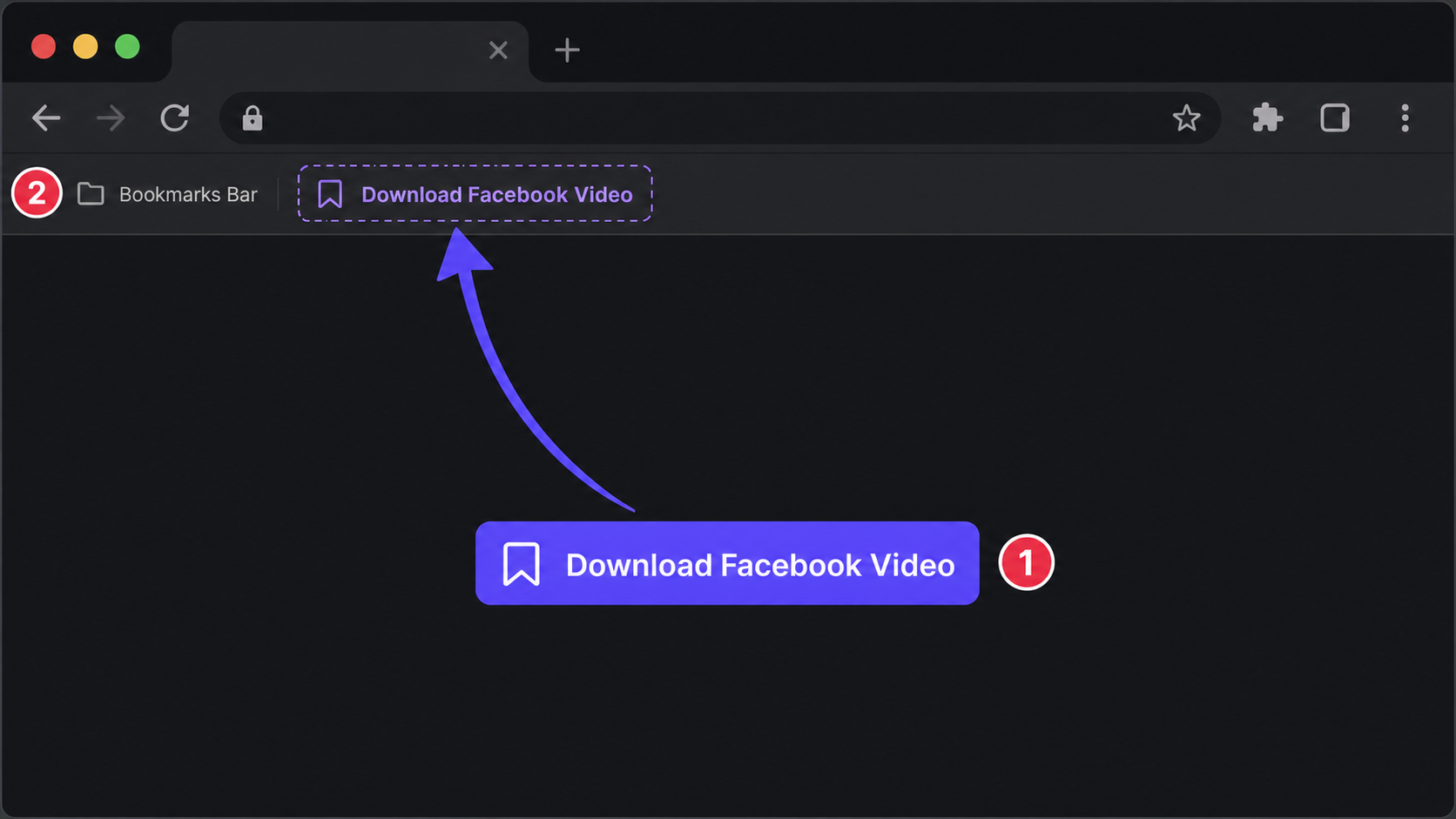
Three steps to finish the browser workflow.
In Facebook, open the video or Reel, use Share or the post menu to copy its link, then paste it above.
The cloud resolver checks the public page and lists available MP4 qualities.
Choose an available MP4 quality. On a phone, check browser Downloads; if the video opens instead, use its save or share menu where available.
Core details about privacy, browser support, output, and practical limits before you start.
Works with supported public Facebook video, Reel, and completed Live links.
See the MP4 qualities the public source makes available, ordered from highest to lowest.
Save the available source file without re-encoding. Quality and formats depend on the source.
Check supported inputs, output formats and usage requirements before you start.
| Supported input | A Facebook video or Reel URL; authorized page-source import is available when public resolution fails. |
|---|---|
| Output result | Export options: MP4. |
| Processing and privacy | The link is sent to a resolver. Media is fetched from the source or a relay only when you choose to download or share. |
| Browser requirements | A browser with network access to the service and media source; availability and quota checks also apply. |
| Usage limits | Source access, available quality and expiring media links can limit downloads. Fetch fresh links if a download expires. |
| What does FB to MP4 mean? | Facebook to MP4, also called FB to MP4, means saving a Facebook video or Reel as an MP4 file. Paste a public post link and choose a quality supplied by the source; the tool does not increase the original resolution. |
Find quick answers about privacy, browser support, exports, and what to try when a file is heavy.
Continue editing with nearby ArtPlayer tools that work with the same local, browser-first workflow.