• English
  • Deutsch
  • Español
  • 中文简体
  • 中文繁體
  • 日本語
  • 한국어
  • ไทย
  • Tiếng Việt
ArtPlayer logoArtplayer
ArtPlayer Editor
Artplayer AI
Subtitle EditorFree Video Tools

Video Upscaler
X GIF Downloader
Change Volume
Image Upscaler
Loop Audio

Video Screenshot
Remove Watermark
Trim Video
Pixelate Video
Merge Video
Compress Video
Video Stabilizer
Blur Video
Reverse Video
Split Video
Frame Interpolation
Fade Video
Flip Video
Image to Video
Add Audio
HLS to MP4
Remove Metadata
Countdown Video
Blur Background
Speed Video
Rotate Video
Resize Video
Adjust Video
Normalize Video
Split Screen Video
Video to GIF
Edit Metadata
Add Subtitles
Add Text
Boomerang Video
Crop Video
Remux Video
Inspect Metadata
Loop Video
Scene Splitter
M3U8 Downloader
Video Understanding
Extract Thumbnail
Video Converter
Green Screen
Pixelate Face
Mute Video
Add Watermark
Image Slideshow
Blur Face
Stop Motion Effect
Filter Video
GIF to MP4
PDF to Video
Thumbnail Sprites
Add Photo
Landscape to Portrait
Extract Tracks
Animated Circles
Add Intro Image
Video to HLS
Solid Color Video
Video Overlay
Freeze Frame
Video to Text
Sync Audio and Video

Facebook Video Downloader
X Video Downloader
TikTok Video Downloader
Instagram Video Downloader
Threads Video Downloader
Reddit Video Downloader
Pinterest Video Downloader
Pinterest GIF Downloader
Tenor GIF Downloader
GIPHY GIF Downloader
Imgur Video Downloader
Imgur GIF Downloader

Add Cover Art
Speed Audio
Join Audio
Trim Audio
Vocal Separation
Filter Audio
Extract Audio
Measure Loudness
Equalize Audio
Split Audio
Change Volume
Normalize Audio
Add Reverb
Remove Silence
Reduce Noise
Audio Visualizer
Fade Audio
Convert Audio
Change Pitch
Reverse Audio
Text to Speech
Compress Audio
Detect BPM
Speech to Text

GIF Upscaler
AI Image Expander
Remove Watermark
Old Photo Restore
Depth Map
Blind Watermark
GIF Optimizer
Image to Prompt
Background Changer
Remove Background
Remove Object
Remove AI Labels
AI Image to GIF

Screen Recorder
Voice Recorder
Camera Recorder
GitHubDocsAbout

Slow motion

Slow Motion Video Online

Turn a clip into slower motion for tutorials, highlights, reactions, or timing checks while keeping the source file on your device.

Make slow motion Trim first

Choose a slow-motion speed that fits the footage

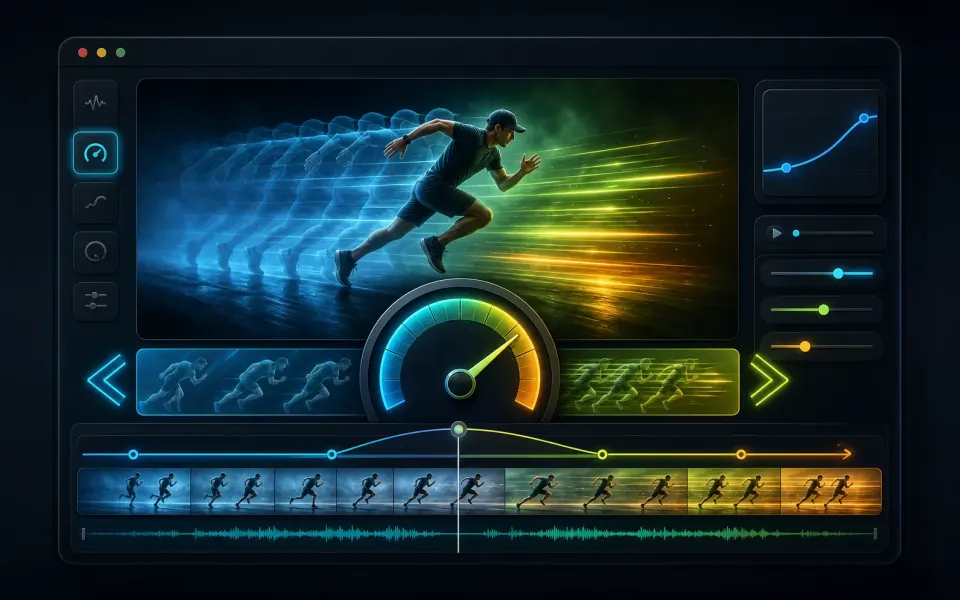
Reducing playback speed lengthens the timeline. The right setting depends on whether you want a subtle emphasis, a tutorial pace, or close inspection of fast action.

01

Use speed as a storytelling choice

A 0.75x setting creates a mild slowdown, 0.5x doubles the approximate duration, and 0.25x makes the result roughly four times as long. Strong slowdown cannot invent motion detail that the camera did not capture, so low-frame-rate sources may look stepped.

  • Try 0.5x for highlights and clearly visible actions.
  • Use 0.25x for inspection rather than guaranteed smooth motion.
  • Trim to the important moment before creating a very long result.
02

Review motion and audio together

Changing speed also changes the timing of the soundtrack. The export pipeline keeps the media timeline aligned, but heavily slowed speech and music can sound unnatural. Preview the final MP4 and consider removing or replacing audio when the visual effect matters more.

  • Check the full duration after export.
  • Listen for audio artifacts at aggressive speed changes.
  • Use Mute Video when a silent slow-motion clip is preferable.
Artplayer AI

Take your next edit further with AI.

Enhance videos, restore photos or separate audio with Artplayer AI.

Explore Artplayer AI

How it works

Three steps to finish the browser workflow.

  1. 1

    Choose a video

    Open Speed Video and select the clip you want to slow down.

  2. 2

    Pick a slower speed

    Choose 0.75x, 0.5x, 0.25x, or set a custom speed in the editor.

  3. 3

    Export slow motion

    Preview the timing, then export and download the slower MP4.

Everything you need

Core details about privacy, browser support, output, and practical limits before you start.

Slow videos down to 0.25x

Use 0.5x for a natural slow-motion effect.

Preview playback speed before export

Use 0.25x when you need to inspect fast action frame by frame.

Watermark-free MP4 output

Trim long clips first when you only need one slow-motion moment.

Frequently asked questions

Quick answers about privacy, output, and practical limits before you start.

Can I make an MP4 slow motion?

Yes. Open Speed Video, choose a speed below 1x, preview the playback, and export a new MP4.

Is the video uploaded?

No. The linked speed editor processes the selected file in your browser.

Will audio stay in sync?

The speed tool adjusts the output timing and uses FFmpeg audio handling to keep the exported MP4 aligned.

Related tools

Continue editing with nearby ArtPlayer tools that work with the same browser-first workflow.

Speed Video
Speed Video
Speed up or slow down video while keeping audio timing aligned.
Trim Video
Trim Video
Cut a clip by choosing exact start and end times before exporting a new MP4.
Loop Video
Loop Video
Repeat a clip by count or target duration and export one looping MP4.
View all tools
ArtPlayer logoArtplayer

Free browser media tools for editing, converting, recording, and preparing video, audio, subtitles, and AI-assisted results.

Email us: [email protected] Buy Me a Coffee

Video tools

Change VolumeVideo ScreenshotRemove WatermarkTrim VideoPixelate VideoMerge VideoCompress VideoVideo StabilizerBlur VideoReverse Video

Audio tools

Loop AudioAdd Cover ArtSpeed AudioJoin AudioTrim AudioVocal SeparationFilter AudioExtract AudioMeasure LoudnessEqualize Audio

Image tools

Image UpscalerGIF UpscalerAI Image ExpanderRemove WatermarkOld Photo RestoreDepth MapBlind WatermarkGIF OptimizerImage to PromptBackground Changer

Downloaders

X GIF DownloaderFacebook Video DownloaderX Video DownloaderTikTok Video DownloaderInstagram Video DownloaderThreads Video DownloaderReddit Video DownloaderPinterest Video DownloaderPinterest GIF DownloaderTenor GIF Downloader

Site

Free Video ToolsTool usage statisticsArtPlayer EditorSubtitle EditorBlogAboutFAQDocs
© 2026 ArtPlayer. All rights reserved.
PrivacyTermsCookiesAcceptable UseCopyright

Essential cookies keep ArtPlayer working. You choose whether to allow optional cookies. Cookie Policy